Maintenance request software
Give incoming maintenance issues a traceable handoff.
Collect public maintenance requests, review possible duplicates and turn accepted issues into accountable work orders.
For facilities and equipment maintenance teams
No card required · plans from $29/month
Practical evaluation guide · Updated 7 September 2026
In this guide
Build an intake queue someone actually owns
A maintenance request is an observation that needs review. A work order is authorized work with scope and responsibility. Treating every incoming message as a ready-to-execute job can fill the backlog with duplicates, vague reports and work that has not been prioritized.

AI-generated editorial illustration; not a customer photograph or product screenshot.
Decide who reviews new requests, how often the queue is checked and what makes a report actionable. Publish that expectation where people submit requests. Do not imply immediate attendance when the team only reviews the queue during staffed hours.
Request versus work order
| Intake record | Execution record |
|---|---|
| What the requester observed | What the team has decided to do |
| Where the problem was noticed | Asset and location the work is assigned to |
| Contact details where appropriate | Responsible technician or team |
| Report time | Planned and actual work information |
| Supporting description | Findings, action and verification |
This distinction helps preserve the original report without treating the requester's diagnosis as established fact. The person reporting a noise does not need to know which maintenance procedure should follow.
Test an ordinary report and a duplicate
Use an illustrative report about a leaking fixture in a clearly identified room. Submit it through the intended public intake link while signed out. Review the request as a manager and verify the site/asset context before creating the follow-up work.
Then submit a second report about the same issue. Decide how the team will recognize and handle duplicates. Do not assume the software provides automatic duplicate detection; a clear review process may still be required. The requester should not inadvertently create competing repair jobs simply because two people noticed the problem.
Ask for the minimum information needed to act
Long forms can discourage useful reports. Extremely short forms can produce “broken again” with no location. Start with the observed issue and a precise location or asset context, plus the contact information your process actually requires. Review incomplete reports to see which field or instruction needs improvement.
Avoid requesting unnecessary personal information in free text. A public maintenance form should explain its operational purpose and use the site's established privacy information. Keep internal work history behind the appropriate account permissions.
Make urgency an operational rule
Request priority should be reviewed against the team's actual response process. A web form is not a substitute for an emergency channel. Staff need to know when to use the request queue and when to follow the site's urgent response instructions instead.
During a pilot, measure requests that need clarification, requests without a precise location and time to first review. Define the start and end timestamps before reporting a response-time improvement. Completing more requests can reflect more reporting rather than a change in the underlying condition of the facility.
Connect the intake test to work-order execution, QR labels and facility readiness so the request has a clear destination beyond the submission screen.
Start with the reporting problem your team actually has
Maintenance request software should help people report an issue clearly and help the maintenance team decide what happens next. The problem is often fragmented intake: some reports arrive by message, some by phone and others through a conversation that never becomes a record. The resulting uncertainty makes it difficult to know whether an issue was reviewed, assigned or forgotten.
Before introducing a form, collect a small sample of recent reports. Identify which ones lacked a location, required clarification, duplicated existing work or reached the wrong person. Those examples reveal the structure the intake process needs. They also prevent the team from designing a long form around information that rarely affects a maintenance decision.
Choose an initial reporting population. Internal operators, building staff and members of the public may need different instructions and access boundaries. Start with one group and one clearly defined route to the maintenance team. Expanding a process that nobody owns will increase the number of visible requests without resolving the original handoff problem.
Separate the original observation from the maintenance decision
The request records what somebody noticed. The maintenance decision establishes the response, scope and responsibility. Preserving that distinction helps the team avoid treating an unverified diagnosis as fact. A requester can accurately report a new vibration without being qualified to identify the component that caused it.
Keep the original observation understandable when creating follow-up work. If the planner rewrites the scope into technical language, the team should still be able to find the report that prompted it. This is particularly useful when the technician discovers a different cause or when several reports describe the same underlying condition.
During evaluation, submit a realistic observation and follow it through review. Ask a person who did not see the original form to explain what was reported and what work was authorized. If those answers become indistinguishable, review the record structure before expanding the workflow.
Make location easy to provide and verify
A precise location often matters more than a detailed description. “Light broken” is difficult to act on across a large site. A room, floor, building or asset reference can make the same short observation actionable. Use the location structure that people already understand, and avoid requiring them to guess an internal asset identifier they have never seen.
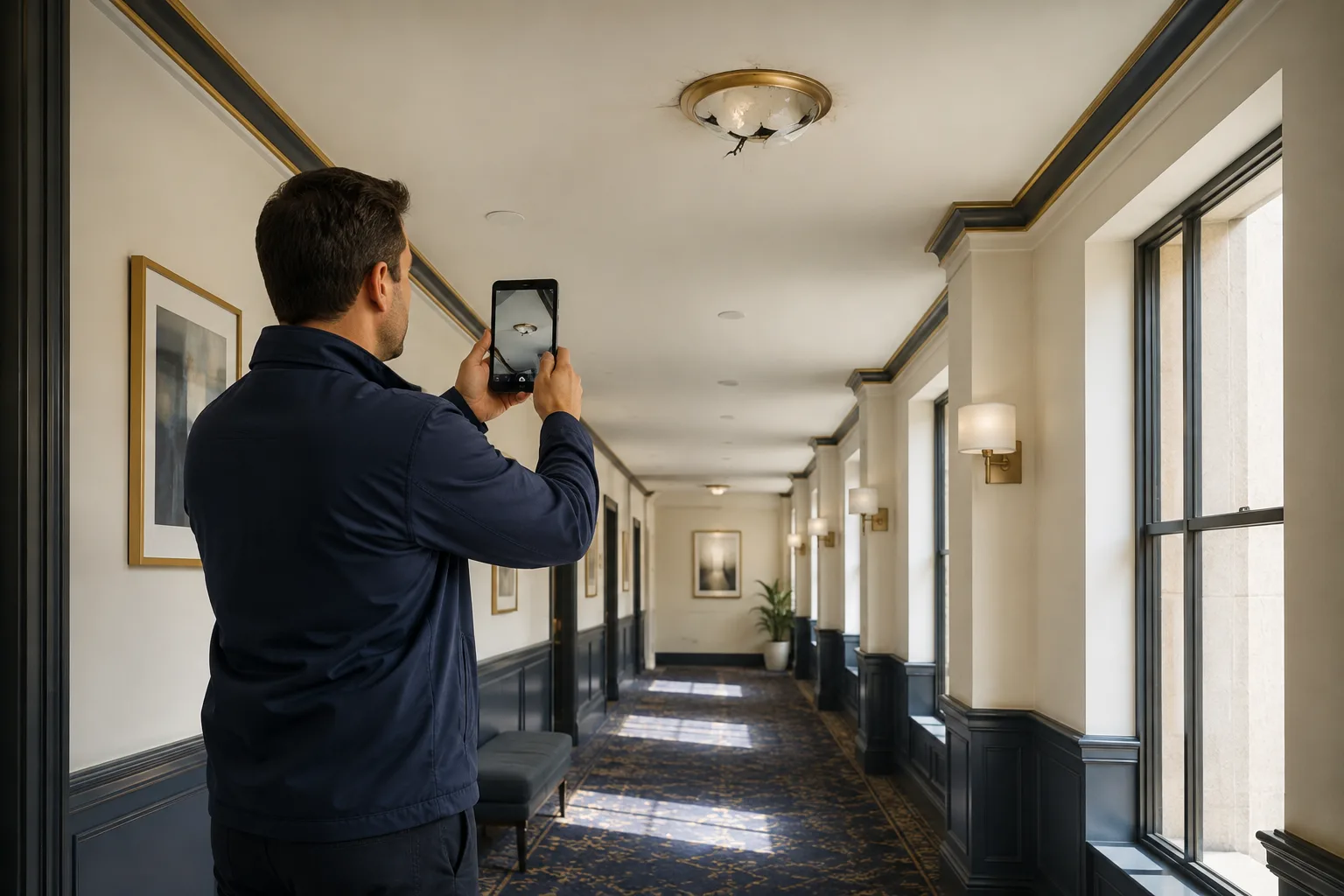
AI-generated editorial illustration; not a customer photograph or product screenshot.
A site- or asset-bound request link can provide context before the form is opened. QR labels can help when the person is standing beside equipment. The destination still needs to display enough information for the requester to confirm that the context is correct. A label attached to the wrong asset can otherwise produce a very precise report about the wrong equipment.
Test ambiguous locations during the pilot. Use two rooms with similar names or two nearby assets of the same type. Ask a new requester to identify the correct one without assistance. Their hesitation can reveal naming problems that are invisible to the maintenance team because staff already know the site by memory.
Ask for observations in plain language
Form prompts should help people explain what they saw, heard or experienced. Avoid making a technical diagnosis mandatory unless the reporting audience is qualified and the process requires it. A short, concrete observation is often more useful than a forced selection from a list of failure modes the requester does not understand.
Use examples sparingly and make them relevant to the setting. For a facility, an example might describe a fixture, room and visible symptom. For production equipment, it might identify the asset and the time an unusual condition was noticed. The example should demonstrate useful reporting detail without teaching people to make unsupported causal claims.
Review the first batch of submissions for recurring ambiguity. If many people omit the room, improve the location prompt or context. If they describe several unrelated issues in one request, clarify when separate reports are helpful. Improve the form based on observed reporting problems rather than continuously adding fields for hypothetical cases.
Define queue ownership before promoting the form
An intake form creates an expectation that somebody will review the report. Assign a primary owner and a backup, and state the review cadence in the team's operating process. A shared inbox or dashboard does not create ownership by itself. When everybody can see the queue, it can still become nobody's responsibility.

AI-generated editorial illustration; not a customer photograph or product screenshot.
Decide what the reviewer must establish. At minimum, they need enough context to identify the issue, determine whether related work exists and choose the next action. Some reports require clarification before work can be scoped. Others may be outside the maintenance team's responsibility and need a documented handoff to the appropriate process.
Test absence as well as ordinary operation. If the usual reviewer is unavailable, can another authorized person identify new requests and understand outstanding decisions? A process that depends on one person's memory may work during a demonstration but fail during a holiday or shift change.
Handle duplicates without losing useful context
Several people may report the same visible issue. That can be useful evidence of impact, but it should not automatically create several competing repair jobs. Establish how the reviewer recognizes related reports and how the team records the decision to connect them with existing work.

AI-generated editorial illustration; not a customer photograph or product screenshot.
Do not assume automatic duplicate detection. Similar descriptions can refer to different assets, and different descriptions can refer to the same problem. The reviewer needs enough location and timing context to make the distinction. A clear manual process can be appropriate for an early rollout, provided its owner and workload are understood.
In an acceptance test, submit two reports about one illustrative fixture and another report about a different fixture nearby. Ask the reviewer to explain which records should share follow-up work and which should remain separate. This reveals whether the form provides enough context and whether the team has a consistent decision rule.
Make urgency consistent with the operating response
People reporting a problem may have a different view of urgency from the maintenance planner. The form should help communicate impact without promising a response the team cannot deliver. A requester's selected priority can inform review, but it should not replace the organization's criteria for deciding what requires immediate attention.
Keep urgent operational instructions clear wherever the form is introduced. The appropriate channel depends on the site's procedures and staffing. A queue checked during business hours should not be described as continuously monitored. The product's wording and the team's actual review practice need to agree.
Review how urgency travels into the work record. If a planner changes the priority after assessment, the reason should remain understandable to the people coordinating the work. A priority field is useful when it supports a shared decision; it becomes noise when every report uses the highest value because nobody trusts the normal queue.
Preserve access boundaries on public forms
A public request form may intentionally allow reporting without a maintenance account. That convenience should be limited to the authorized intake purpose. A person opening the link should not gain access to private work history, internal comments or unrelated organizational records merely because they can identify an asset.
PreventiveHQ's public intake supports site and asset binding. Test the exact link you intend to distribute in a signed-out browser and verify the context shown. Then test the internal review using an appropriate account. These two experiences serve different users and should be evaluated separately.
Consider where the link will appear. A code in a staff-only workshop and a link on a public website have different audiences and exposure. Review the information requested by the form and keep it proportionate to the reporting task. Use the site's established privacy information for the actual data handling rather than placing sensitive operational details into public instructions.
Test the requester's complete submission experience
A form can be short and still be difficult to use. Test it on a phone, with the intended location context and without an existing maintenance login. Check that labels are clear, required fields are understandable and a validation error helps the person correct the problem without losing their description.
The completion state should make it clear that the submission was received. It should also avoid implying that a technician has already been assigned if the request still requires review. If the workflow provides a reference or next-step information, confirm that the requester can understand it without knowing the application's internal terminology.
Do not infer notification or status-tracking features from a successful submission. If requester updates are essential, test the exact supported behavior and delivery channel. A confirmation page, an email notification and a self-service tracking portal are different capabilities. The buying decision should reflect what the product actually provides.
Turn reviewed requests into work that can be executed
Once a request has enough context and the team decides maintenance action is required, the follow-up work needs a clear scope. Identify the asset or location, describe the authorized task and assign responsibility. The technician should not have to reconstruct the entire intake discussion before understanding why the work exists.

AI-generated editorial illustration; not a customer photograph or product screenshot.
Keep assessment and repair distinct where the cause is unknown. A request describing a symptom may first require investigation. Writing a specific replacement task before assessment can turn the requester's guess into an operational instruction. The planner should use the level of certainty supported by the evidence and the team's procedures.
Follow one pilot request through completion. Review the findings, action and verification in the work record, and confirm that the original request remains understandable. This complete path establishes whether the product supports the handoff you need. A successful form submission alone demonstrates only the first step.
Measure review speed with a defined clock
“Response time” can mean several things: time to first review, time to assignment, time to attendance or time to resolution. Choose the definition before comparing performance. Otherwise, two reports may use the same phrase while measuring entirely different events.
For a simple intake pilot, time to first review can be a useful starting measure. Record the submission timestamp and the timestamp of the first actual review decision using the available evidence. State whether the comparison uses elapsed time or staffed hours. A request submitted late on Friday should not be interpreted without considering the team's published operating schedule.
Look beyond the average. A few very old requests can be hidden by many quickly reviewed ones. Review the oldest unresolved items and the reasons they remain open. The purpose of measurement is to identify a handoff problem the team can fix, not merely to produce a lower number in a report.
Measure clarity and follow-through alongside volume
More requests can mean that reporting became easier, that more people adopted the form or that the underlying problem rate increased. Submission volume alone cannot distinguish those explanations. Pair it with measures such as location completeness, clarification effort and the proportion of reviewed requests with an accountable next action.
Use an illustrative sample of 25 requests. If five require a follow-up question before the team can locate the issue, the sample's location-clarification rate is 20 percent. Inspect those five reports to understand the cause. The solution may be better location context, clearer labels or a different reporting route for a particular area.
Track the work created from requests without assuming every request must become a new work order. Some may duplicate existing work or require a different operational response. A healthy intake process produces understandable decisions, not necessarily the maximum number of new jobs.
Compare vendors using your actual intake boundary
Ask each vendor to demonstrate a signed-out report, a validation error, manager review, duplicate handling and the transition to work. Use the same sample location and symptom across demonstrations. This makes it easier to compare the effort required from the requester and the reviewer rather than being distracted by different sample data.
Check any specialist requirement explicitly. Multi-language forms, attachments, requester accounts, automatic routing, external notifications and advanced service-level rules can materially affect fit. Do not infer them from a generic “maintenance requests” feature label. Confirm the plan, permissions and exact workflow your team would use.
For PreventiveHQ, start with the supported public intake and connected maintenance workflow. If a requirement remains manual, include that effort in the pilot rather than hiding it. The product is worth adopting when the complete process works reliably for the team, including the responsibilities that remain outside the form.
Launch with one reporting group and a visible owner
Choose one site or department, identify the queue owner and introduce the form with a clear explanation of its purpose. Show people one useful example report and explain the expected review schedule. Keep the initial rollout small enough that the reviewer can inspect every submission and improve the process quickly.

AI-generated editorial illustration; not a customer photograph or product screenshot.
After the first review period, examine unclear reports, duplicates and items without a next action. Change the instructions or ownership process where the evidence points to a recurring issue. Avoid judging the rollout only by the number of submissions; a smaller set of actionable reports can be more useful than a larger queue full of ambiguity.
Expand when a person can report an issue, the team can review it and the resulting work can be followed through. Use QR labels where physical context helps, facility maintenance for spaces and readiness, and work-order software for the execution record. That complete handoff is the practical acceptance criterion.