QR code maintenance software
Put the right maintenance request form on the equipment.
Print an asset QR label that opens a public fault-report form with the asset and site already selected.
For facilities and equipment maintenance teams
No card required · plans from $29/month
Practical evaluation guide · Updated 7 September 2026
In this guide
A QR label should remove ambiguity at the equipment
The useful outcome of an asset label is that a person standing beside equipment reaches the correct maintenance context. The code is only the entry mechanism. If the destination is unclear, the label is damaged or the wrong asset was printed, scanning can make an error faster rather than prevent it.

AI-generated editorial illustration; not a customer photograph or product screenshot.
Print the human-readable asset code with the QR code. Staff need a fallback when a phone camera cannot read the label, and they need a way to check that the digital record matches the equipment in front of them.
Run a physical label acceptance test
- Choose two nearby assets with similar names and different codes.
- Generate their labels and keep them clearly separated during printing.
- Attach one test label in an approved location that can be read during normal access.
- Scan it using the actual phones and network conditions the team uses.
- Confirm the asset code and site in the destination before submitting anything.
- Repeat in a signed-out browser to verify the intended access boundary.
Do not place labels over equipment warnings, nameplates or controls. Select material and adhesive appropriate to the actual environment with your label supplier. A code that scans from a screen is not evidence that it will remain readable on oily, wet or sun-exposed equipment.
Keep identification separate from permission
Knowing an asset URL should not grant access to private work history. Conversely, a public request portal may intentionally let someone report a problem without a maintenance account. These are different destinations with different disclosure rules.
PreventiveHQ supports private asset navigation and request intake with site/asset binding. Test the destination you intend to distribute. A requester should not need an internal account merely to use an authorized public intake flow, but public intake should not expose the private asset history.
Write a useful report from the scan
A report should identify the observed issue, the location and how the team can clarify it if necessary. Ask for observations rather than an unsupported diagnosis. For example, “new noise during operation at asset P-04” is different from asserting that a particular component has failed.
The label does not replace the site's urgent incident or equipment-isolation procedure. Define which reports are suitable for the maintenance request queue and where urgent situations are escalated operationally.
Maintain the label system after rollout
Include label checks when equipment is moved, retired or renamed. Keep an inventory of which code belongs to which physical asset. If a public intake link needs to be withdrawn, verify its revocation process; reprinting labels may be part of that change.
Measure wrong-asset reports and the time needed to locate a reported issue before and after a pilot. Scan counts alone do not establish maintenance value. Use the request workflow to test triage and the asset register guide to clean identifiers before printing a large batch.
Define what should happen after a scan
QR code maintenance software connects a physical label with a digital maintenance task or record. The value comes from the destination and the work it enables. A label that opens the correct asset can reduce searching. A label that opens an authorized request form can make reporting easier. A label that opens an unrelated homepage adds another step without resolving the person's immediate problem.
Choose one primary purpose for each label type. A technician looking for private service history has a different need from a building occupant reporting a fault. The printed instruction should make that purpose understandable before the person scans. Keep it brief enough to read at the equipment and specific enough that people know whether they have reached the right workflow.
Test the entire path with the intended user. Ask them to locate the label, scan it, confirm the equipment identity and complete the task. Observe where they hesitate. A successful camera scan is only one part of the experience; authentication, destination clarity and form completion determine whether the label actually saves effort.
Clean asset identity before printing labels
Physical labels make the asset register visible in the workplace. They also make existing identity errors more persistent. If two pumps share the same code or an old record describes equipment that has been replaced, printing labels spreads that ambiguity to every person who scans them. Resolve those records before ordering a large batch of durable tags.
Use a stable asset identifier rather than relying entirely on a descriptive name. Names such as “main pump” or “warehouse unit” can change when equipment moves or a second unit is installed. A stable code gives the digital record a consistent reference while location and description remain editable. The people maintaining the register should understand the difference.
Walk through the pilot area and reconcile the record with the physical equipment. Check the site, code, nameplate context and location description. Record uncertain matches for review instead of making a convenient guess. The time spent resolving five ambiguous assets before printing can prevent many wrong-asset reports later.
Include a human-readable fallback
A readable asset code helps people verify that the scanned destination belongs to the equipment in front of them. It also gives them something useful to report when the camera cannot focus, the network is unavailable or the label has been partly damaged. The fallback should be legible at the normal viewing distance for the approved label location.

AI-generated editorial illustration; not a customer photograph or product screenshot.
Keep the information hierarchy simple. The asset identifier should be easy to distinguish from the short instruction and any support information. Avoid filling the label with every register field. Small text may technically fit in a print preview while being impractical on a machine in ordinary working conditions.
Test the printed result at actual size. Browser zoom and print scaling can change the effective size of the code and text. Scan a sample produced by the same printer, material and settings you intend to use for the rollout. A successful scan of a large image on a laptop does not validate the physical label.
Choose a physical location that supports normal access
The label should be visible where an authorized person can read it during normal access to the equipment. Consider viewing angle, lighting, curvature, dirt and the way the asset is approached. A code hidden behind pipework or placed on a frequently removed panel may be difficult to use even when the print quality is excellent.
Do not cover manufacturer information, warnings, inspection marks or operating controls. The location should be approved by the people responsible for the equipment and site. The appropriate adhesive and material depend on the surface and environment, so confirm those choices with the label supplier rather than treating an office-paper test as a permanent solution.
Include label condition in ordinary asset checks. A rollout is not complete merely because every tag was initially attached. Cleaning, weather, abrasion and equipment changes can alter readability. Define who replaces damaged labels and how they verify the replacement destination before applying a new one.
Separate private asset access from public reporting
A QR code contains or points to information that anyone able to view the label may be able to copy. It should therefore not be treated as a substitute for account permissions. A private asset destination should still enforce the appropriate access controls when opened from a phone, shared message or browser bookmark.

AI-generated editorial illustration; not a customer photograph or product screenshot.
A public request destination serves a different purpose. It may intentionally allow a person without a maintenance account to submit an observation. The form should expose only the information needed for that authorized intake process. Internal service history, private notes and unrelated assets should remain behind the relevant permissions.
PreventiveHQ supports private asset navigation and public request intake with site and asset context. Test both signed-in and signed-out behavior for the specific label you plan to distribute. Do not assume that a label printed for internal technicians is automatically the right label for visitors, contractors or building occupants.
Make the destination confirm the physical context
After a scan, the page should make it easy to confirm the asset or location before taking action. Similar equipment can stand close together, and a label can be attached incorrectly during rollout. A visible identifier and meaningful location description give the user a chance to catch that error before submitting a report or reviewing the wrong history.
Use two similar assets in the acceptance test. Print both labels, keep the records separate and ask someone who did not prepare them to scan each one. Have them state the asset code and location shown by the destination. This tests the complete printing and attachment process, not just the code generator.
If a mismatch is found, investigate the source rather than merely relabelling the first visible problem. The error may come from duplicate records, print ordering, swapped tags or an incorrect destination. Correcting that underlying cause prevents the same mistake from appearing elsewhere in the batch.
Design a useful report after the scan
A good request describes what the person observed and where it occurred. The asset context supplied by the label can reduce the amount of information the requester must type, but it does not explain the issue itself. Use clear prompts that help a non-specialist describe a symptom without requiring a technical diagnosis.

AI-generated editorial illustration; not a customer photograph or product screenshot.
For example, an illustrative report might state that water is visible beneath a particular fixture and when it was noticed. The maintenance team then determines the appropriate assessment and response. Asking the requester to choose an exact failed component may produce confident but unreliable data if they do not have the relevant knowledge.
Make the form's operating expectation clear. If requests are reviewed during staffed hours, do not imply that scanning guarantees immediate attendance. The site's urgent response procedures should remain understandable to the people using the space. A maintenance intake form is part of that operating environment, not a replacement for every reporting channel.
Test the phones and connectivity people actually use
Phone cameras, browser behavior and authentication state can affect the scan-to-task experience. Test representative devices rather than relying on the implementer's newest phone. Check whether the code opens the expected browser, whether the page remains readable and whether any required sign-in returns the user to a useful destination.
Connectivity should be tested at the asset location. A label near a plant room or loading area may be used where signal is weaker than in the office. Do not infer offline capability from the fact that a QR code itself can be read without a network. The destination may still require a connection to load records or submit a request.
Record failures in a small pilot log. Distinguish a camera-read failure from a network failure, a permission problem or an unclear form. Each has a different remedy. Reprinting larger codes will not solve an authorization issue, and changing the application will not necessarily fix an unsuitable label surface.
Plan for moves, replacements and retired assets
Equipment identity and location can change independently. If an asset moves to another room, its stable identity may remain the same while the location record needs updating. If the equipment is replaced, the new physical asset may need a new record even when it occupies the same position. Decide these rules before staff begin reusing old labels.
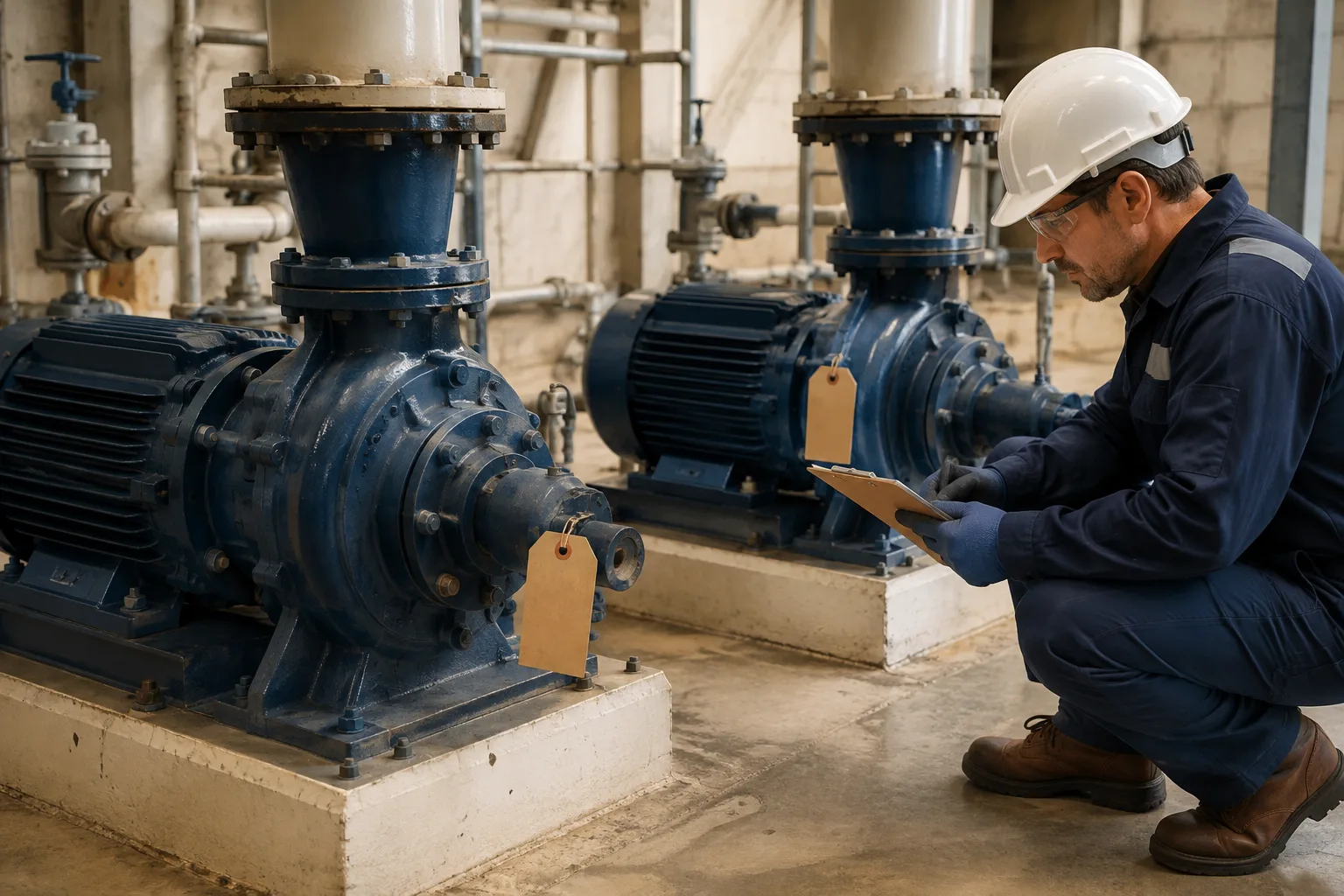
AI-generated editorial illustration; not a customer photograph or product screenshot.
Include label handling in the move or retirement process. Confirm whether the destination remains appropriate, whether a public request link should still accept reports and whether a replacement tag is required. Leaving an obsolete code on a wall or removed panel can send future reports to the wrong maintenance context.
Keep a simple record of the decision. A later reviewer should be able to understand why a label was replaced or a destination changed. This does not require an elaborate tagging bureaucracy, but it does require an owner who considers the physical label whenever the asset record changes materially.
Compare printing and export workflows explicitly
Vendors differ in how they generate codes, export labels and support existing identifiers. These differences matter when you already own a label printer, use a third-party tagging supplier or need to print a selected subset of assets. Ask for a demonstration with your intended output format and print process.
MaintainX's published help documentation describes PDF QR label exports and CSV code exports, with different uses for standard sheets and external printing workflows. That is a useful example of why “supports QR codes” is too broad a purchasing criterion. Verify the exact formats, permissions and physical printing process for each product you evaluate. See MaintainX's print and export documentation.
For PreventiveHQ, test the available asset-label flow using your pilot records and inspect the resulting destination. If you require a particular industrial printer integration, an existing barcode scheme or bulk supplier format, verify it specifically. Do not assume support for every tagging workflow from the existence of a printable QR label.
Measure whether labels improve the maintenance handoff
Scan volume measures use of the entry point, but it does not establish that reports became clearer or maintenance became faster. Choose measures tied to the problem you are trying to solve. These may include wrong-asset reports, requests requiring location clarification or the time needed to find the relevant equipment record.
Use a consistent sample. If you compare a busy production area after rollout with a quiet office area before rollout, the difference may reflect the environment rather than the labels. Start with the same asset group and define the task being timed. Record unusual conditions that make the comparison difficult.
An illustrative pilot might compare 20 requests before and after tagging and count how many require a follow-up question about location. The result can help decide whether to expand the process, but it is not automatically evidence of lower downtime or cost. Keep the claim proportional to what you measured.
Roll out one area before ordering the full label set
Choose a small area containing a representative mix of equipment, surfaces and users. Prepare the register, generate the labels and inspect the printed samples. Have someone other than the preparer verify each destination. Then observe real use long enough to identify ordinary problems with scanning, context and reporting.

AI-generated editorial illustration; not a customer photograph or product screenshot.
Resolve the recurring issues before expanding. A confusing instruction should be rewritten consistently. A poor attachment location should be reviewed with the equipment owner. A wrong destination should trigger a check of the rest of the batch. This produces a repeatable rollout method rather than a collection of one-off fixes.
Finish the pilot by following a report into the maintenance workflow. Confirm that the team can review it, identify the asset and create or update the appropriate work. Use maintenance requests for the intake design, asset maintenance for identity and work orders for execution. The label is worthwhile when that whole path becomes easier to use and trust.
What belongs in the label rollout checklist?
Record the asset code, physical location, chosen destination, label material, print settings and verification date. Have the verifier scan the attached label rather than a loose sample on the desk. Note the device and connectivity conditions used for the check. This creates a practical record of the deployed label system and makes a later replacement easier to verify.
Should we replace every existing label immediately?
Begin by checking whether existing labels identify equipment reliably and whether they can support the intended workflow. A complete replacement may be unnecessary, while mixing old and new destinations without explanation can confuse users. Pilot the proposed approach in one area, explain the transition and establish which identifier remains authoritative. The decision should reflect physical condition, destination compatibility and the team's ability to maintain the system consistently.